Customer Support
service hotcoin.com
Product Feedback
producthotcoin.com
Business Inquiries
businesshotcoin.com
Law Enforcement
casecnhotcoin.com
About
Services
Support
© 2017-2026 Australian Hotcoin Global Exchange Pty Ltd
servicehotcoin.com
producthotcoin.com
businesshotcoin.com
casecnhotcoin.com
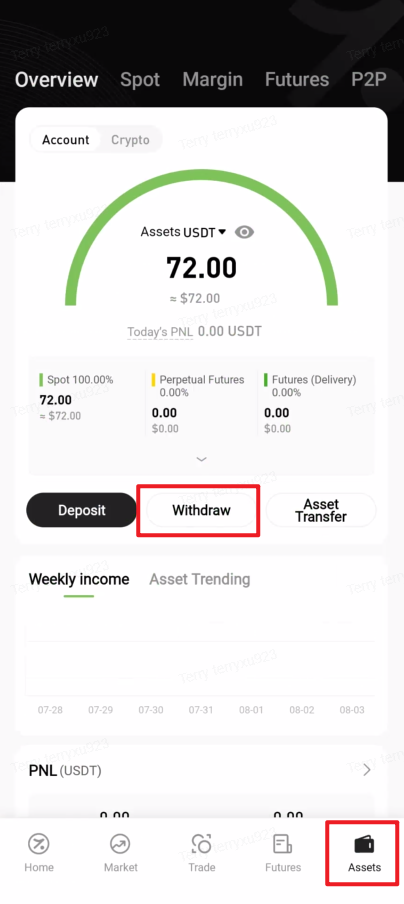
1. Open the Hotcoin App, tap “Assets” in the bottom-right corner to enter the asset overview page, then tap “Withdraw”.
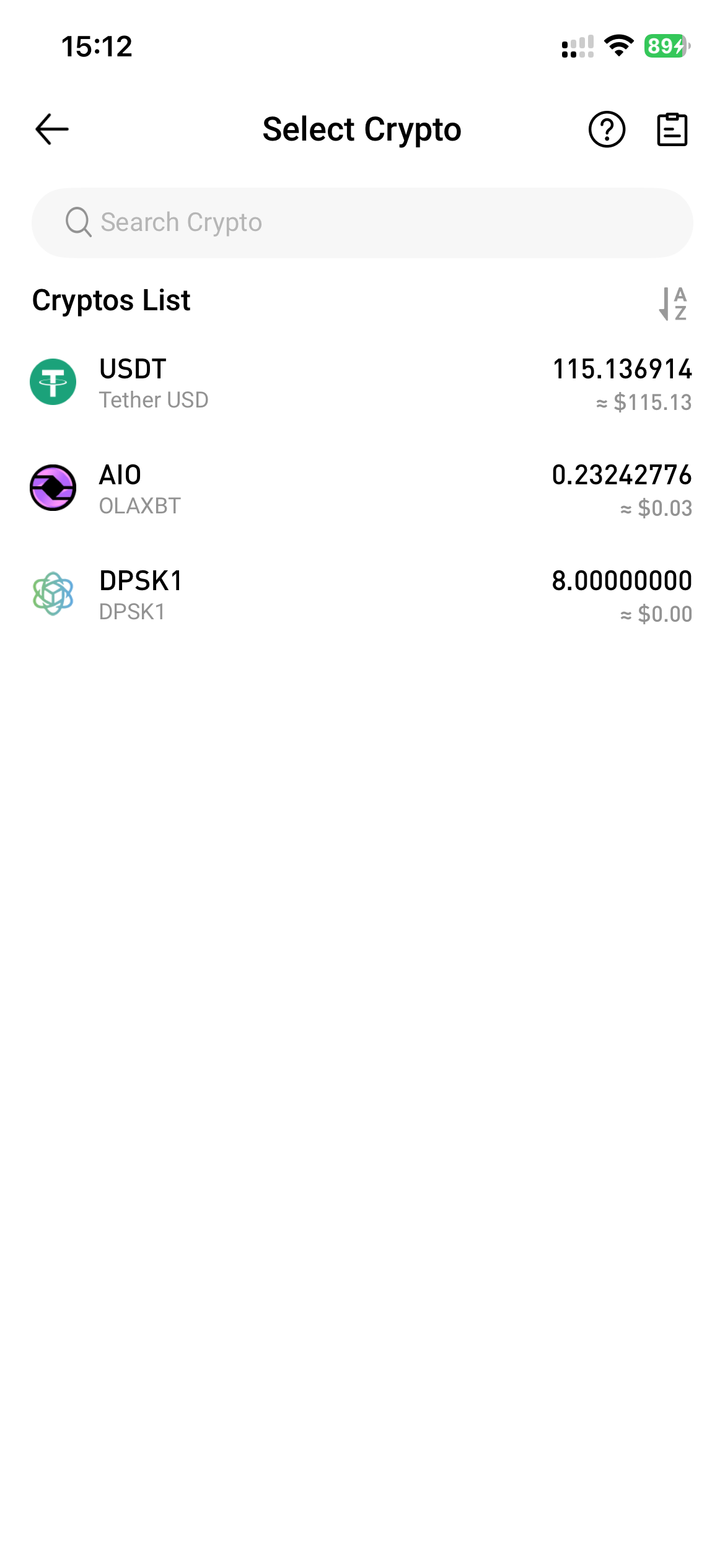
2. Select the asset you wish to withdraw from the Cryptos List.
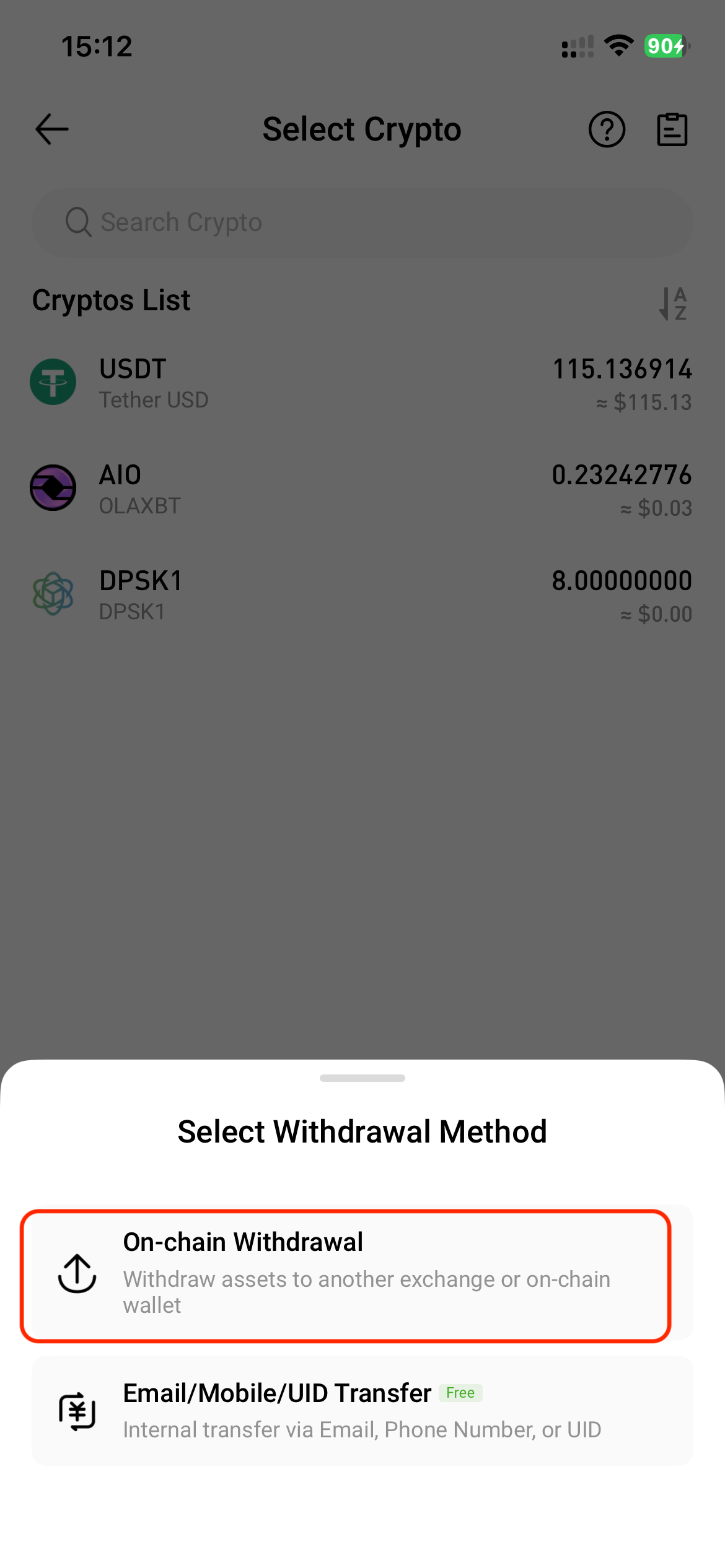
3. In the Select Withdrawal Method window, choose “On-chain Withdrawal”.
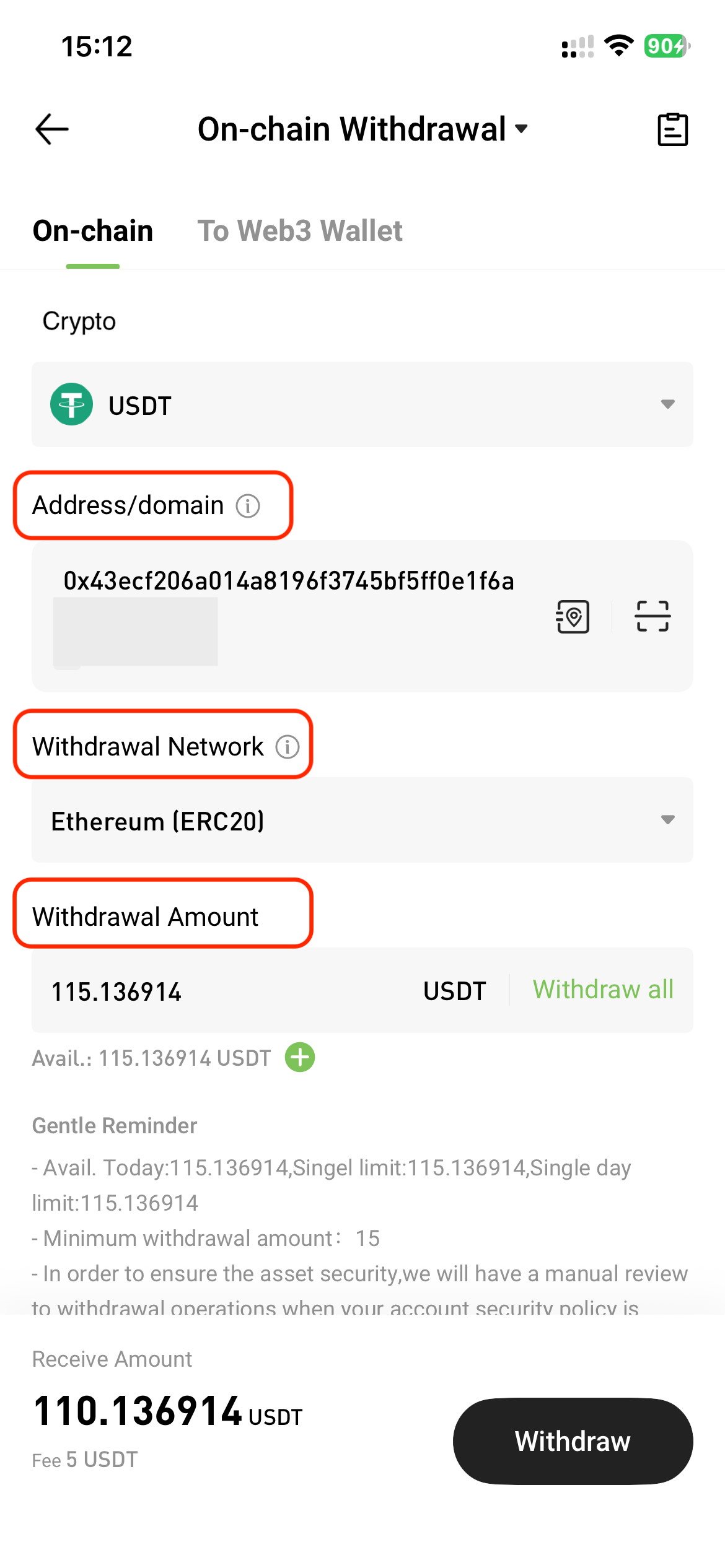
4. On the On-chain Withdrawal page, tap "On-chain" and enter the following information:
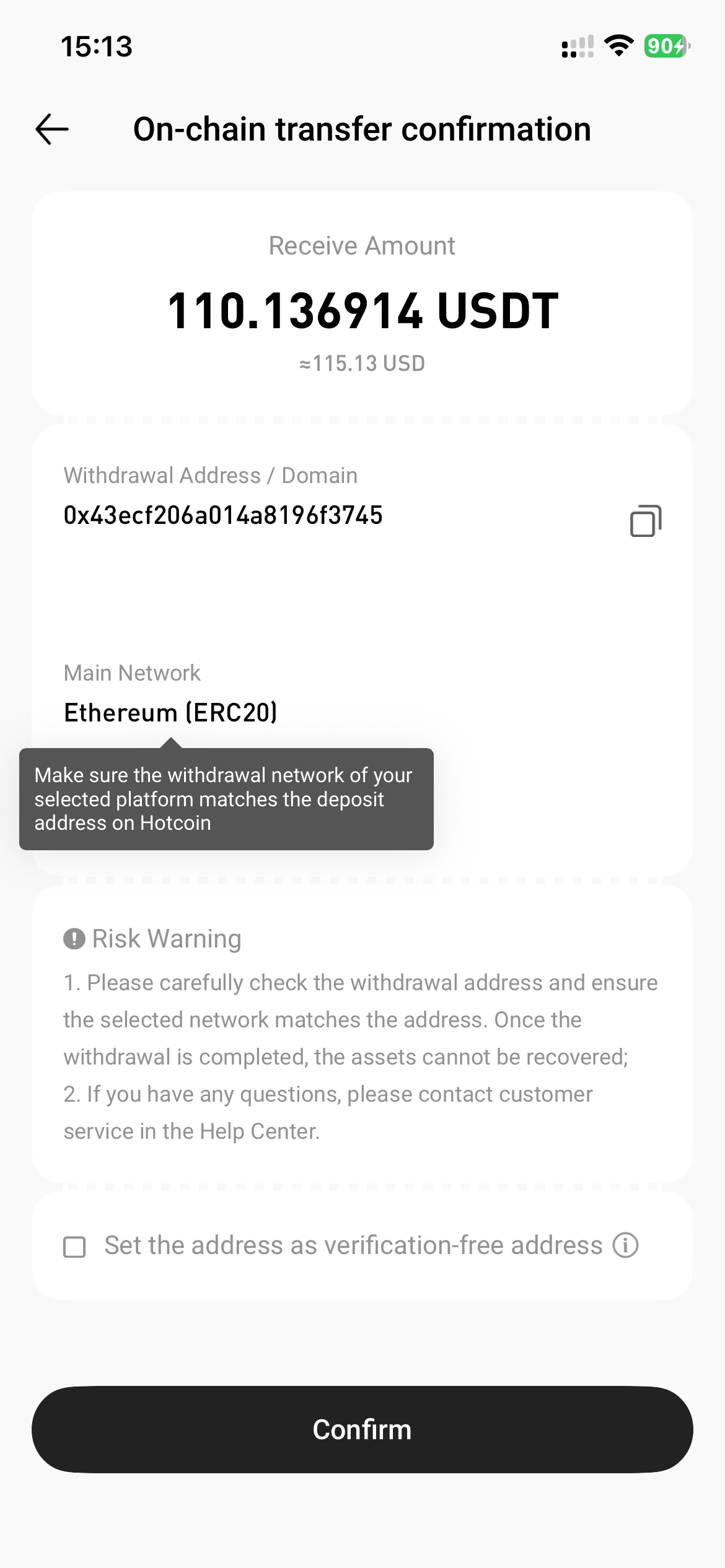
5. Review the transfer details in the pop-up window, then tap “Confirm”.
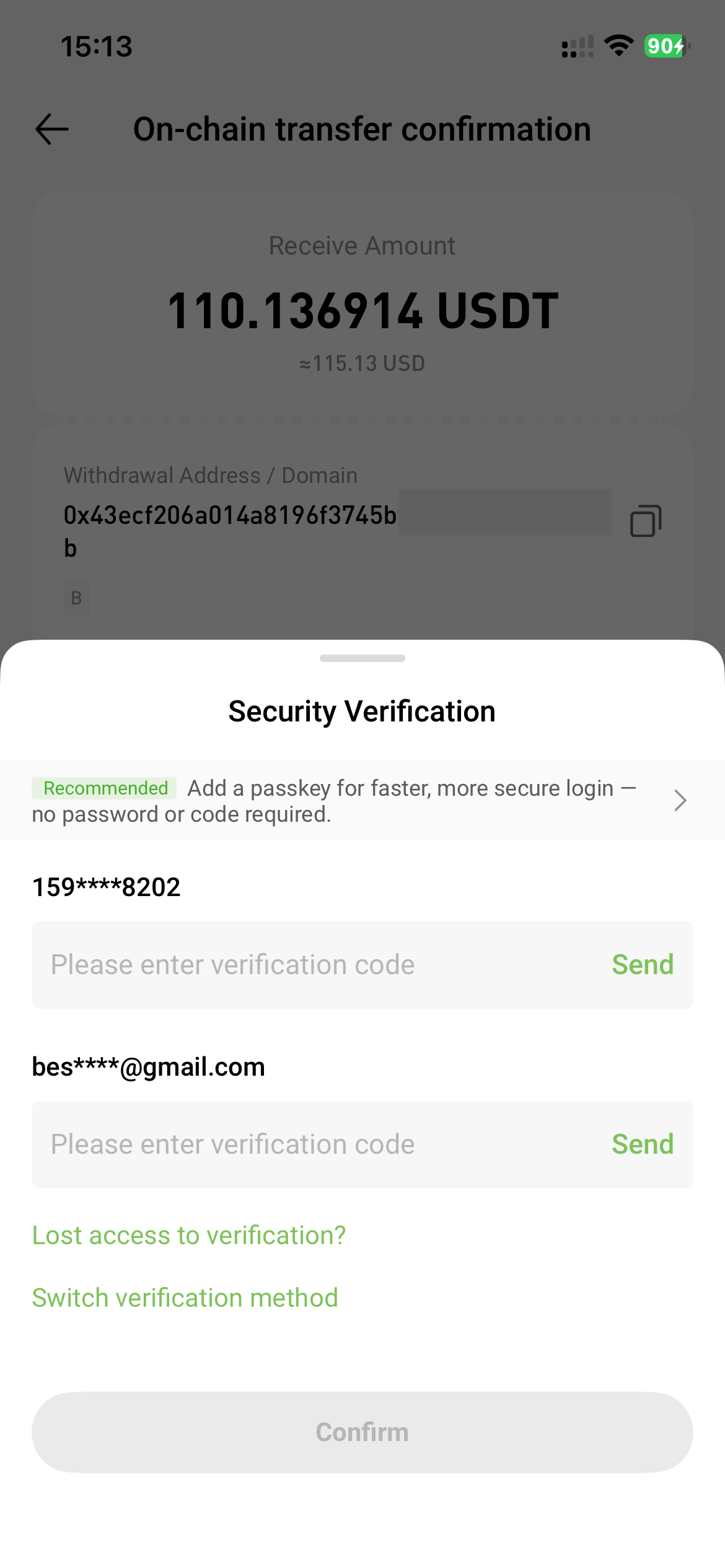
6. Complete the required security verification (e.g., SMS, email, or Google Authenticator), then tap "Confirm".
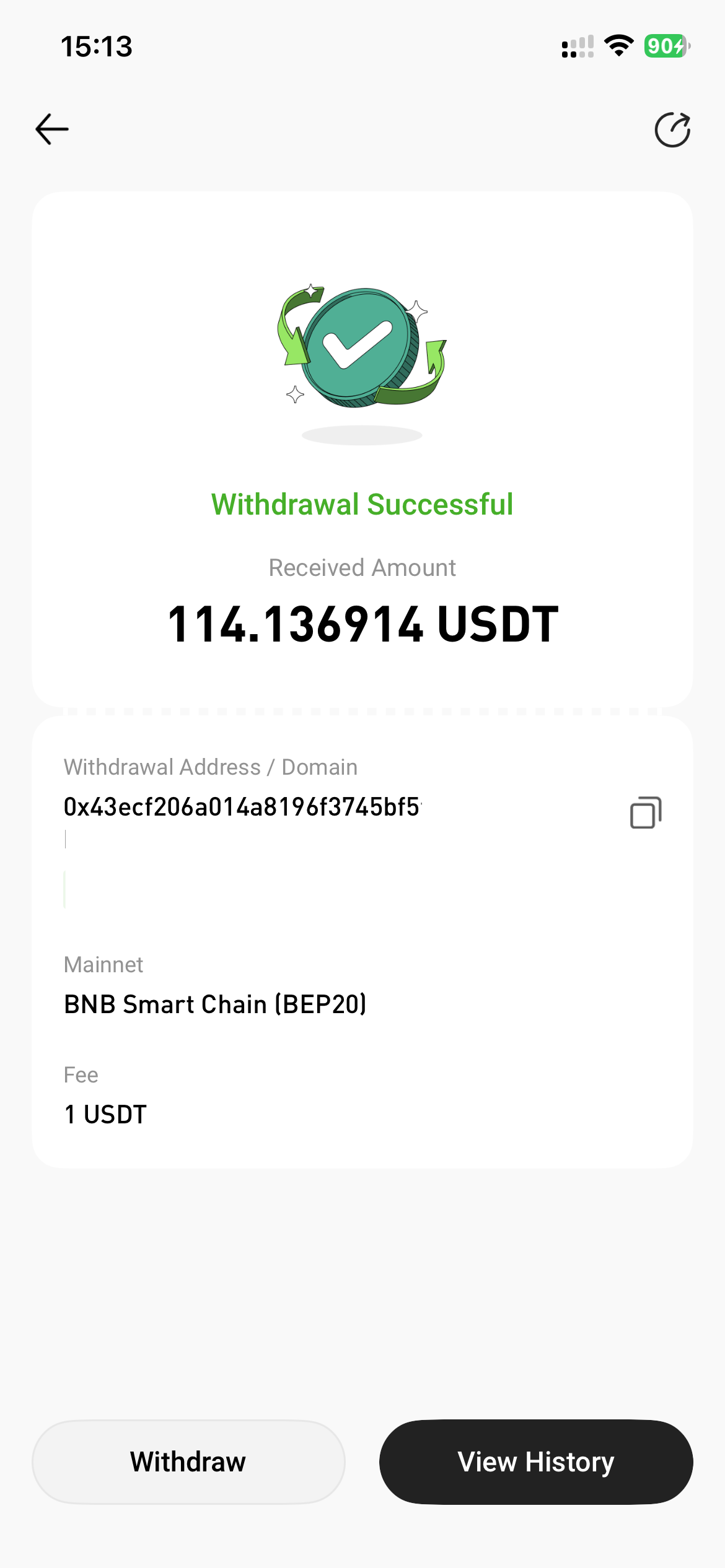
7. The withdrawal is completed successfully.