

Service Contacts
Product Feedback
Business Cooperation
Legal Contacts
About us
Service
Support
©2017-2026
The Hotcoin Web3 Wallet is a non-custodial wallet built into the Hotcoin App. It allows you to securely manage digital assets, connect to DApps, and access on-chain services. You can create a new wallet or import an existing one using a recovery phrase or private key.
Create a New Wallet
If you're setting up a Web3 wallet for the first time, follow these steps:
1. Open the Hotcoin App and tap Wallet.
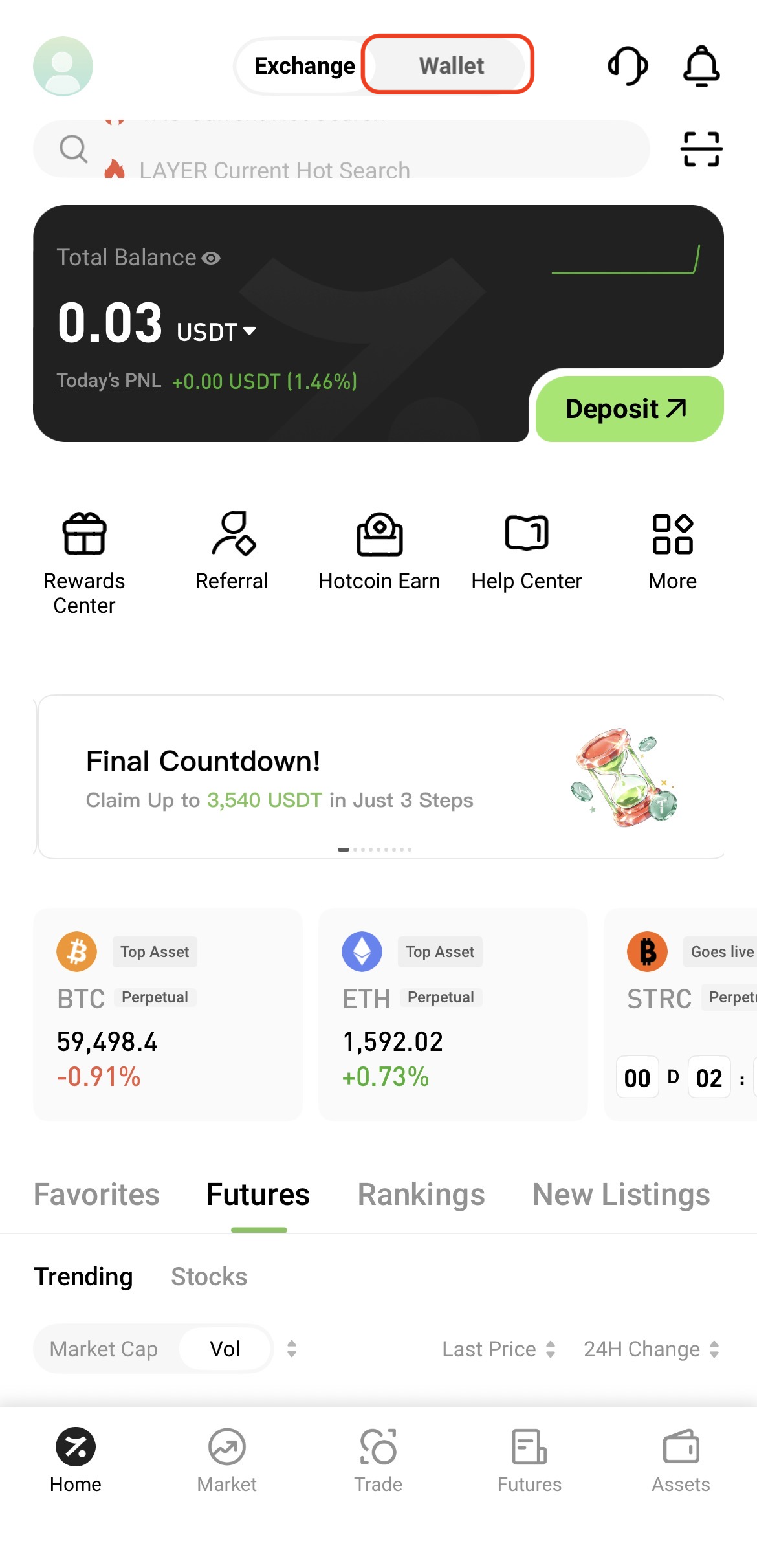
2. Tap Create Wallet.
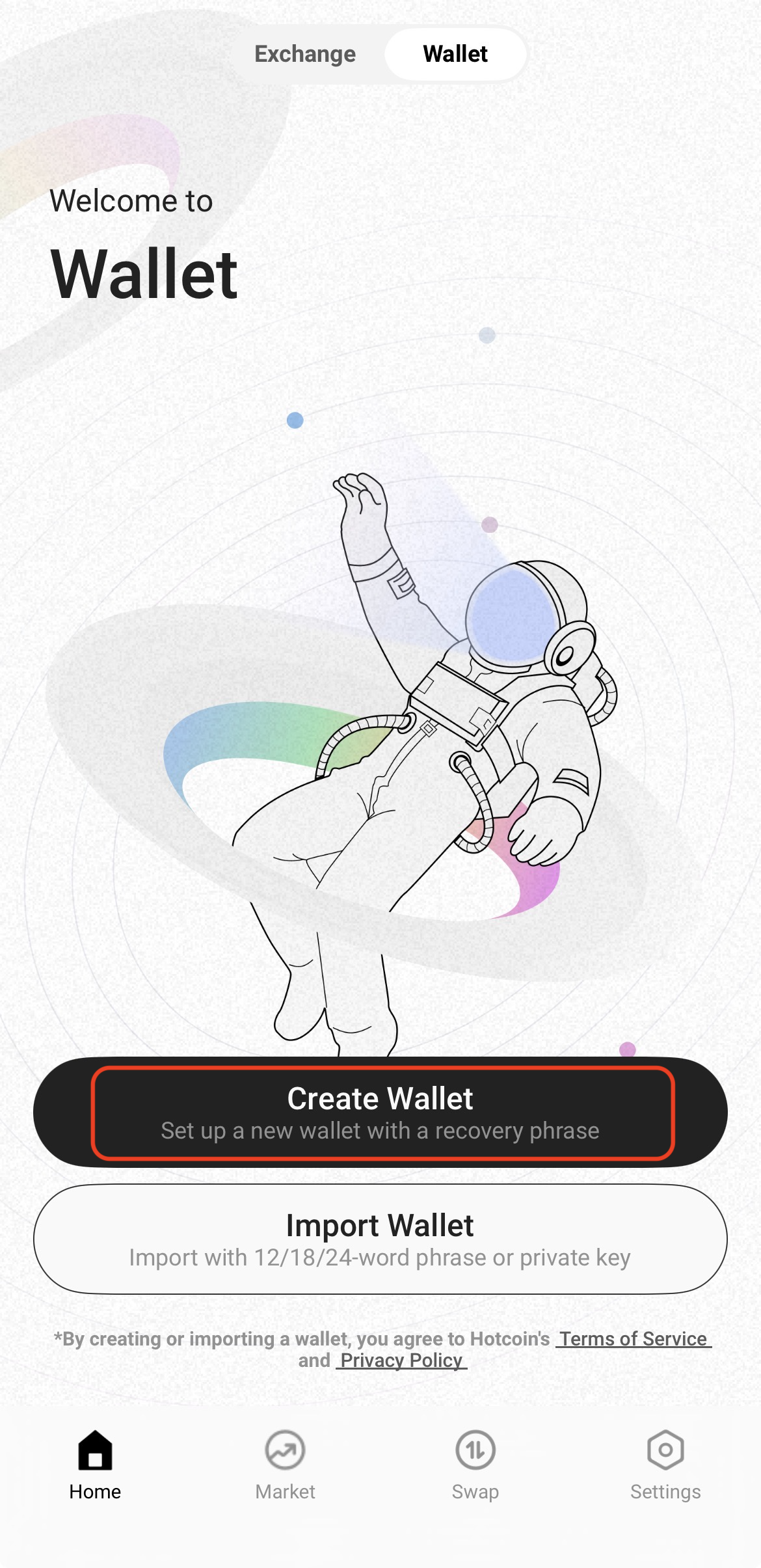
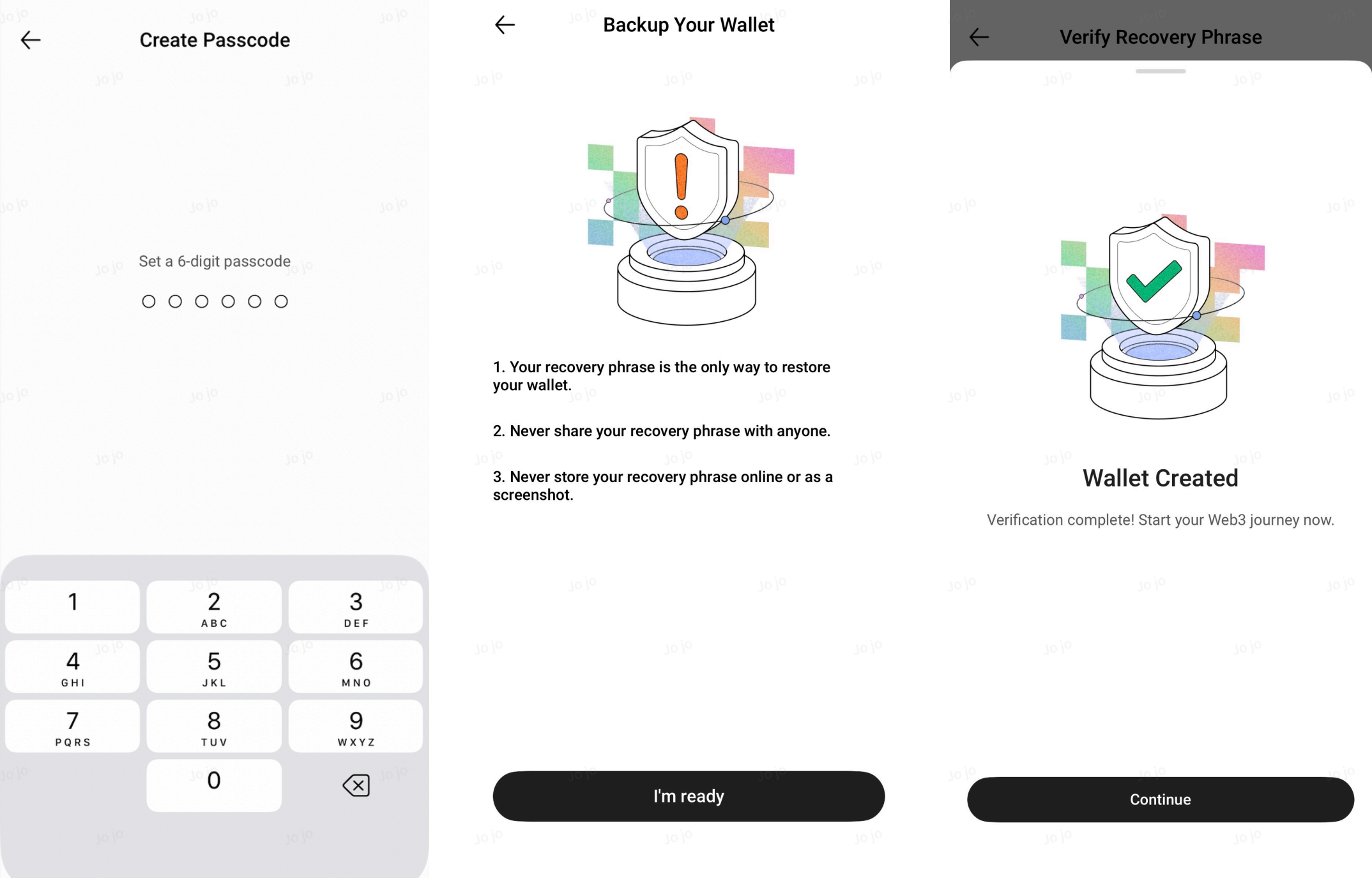
3. Create and confirm your wallet password, then back up your wallet by following the on-screen instructions to complete the wallet creation.
Import an Existing Wallet
If you already have a Web3 wallet, you can import it using your recovery phrase or private key.
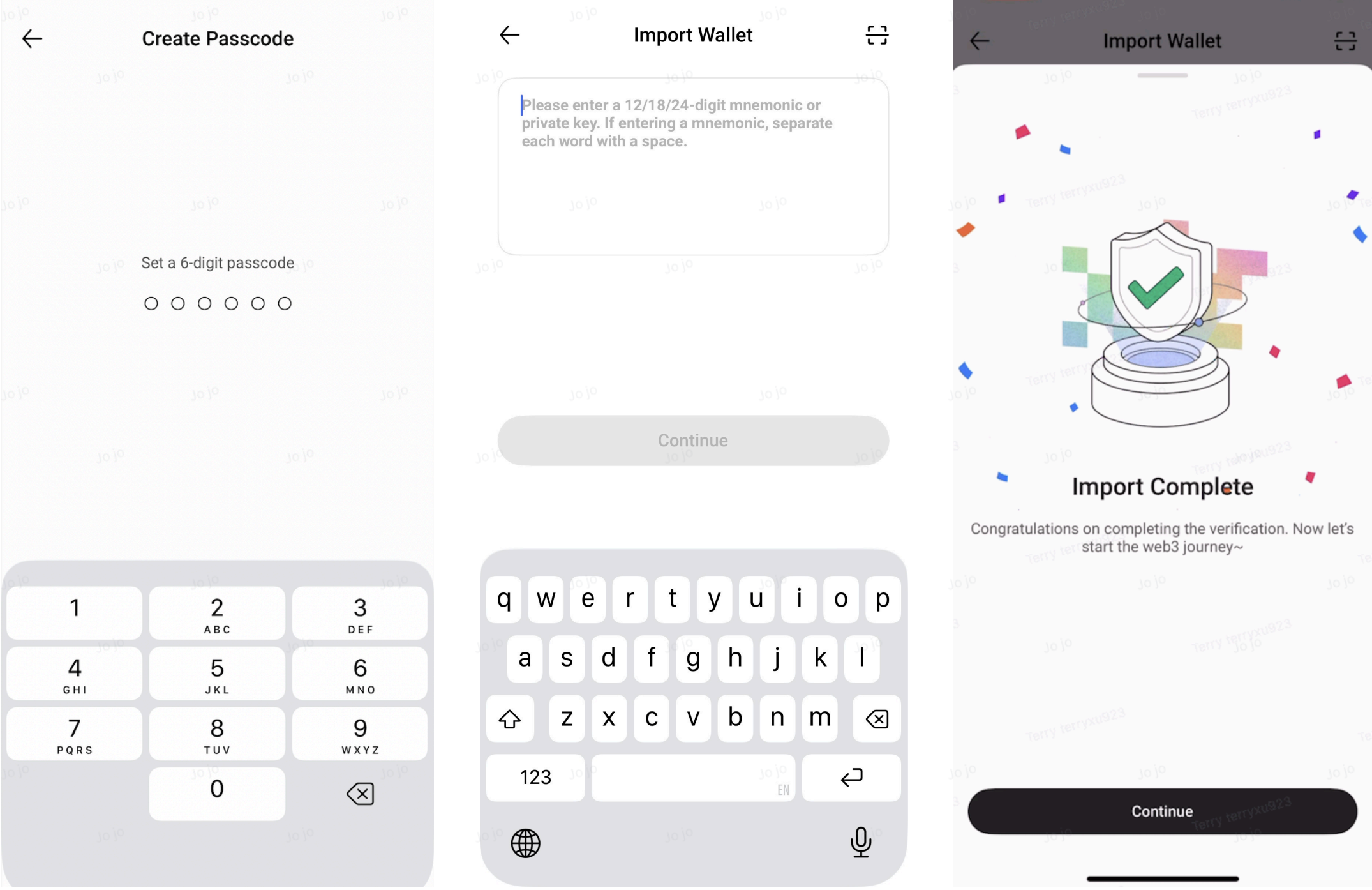
1. Open the Web3 Wallet home page and tap Import Wallet.
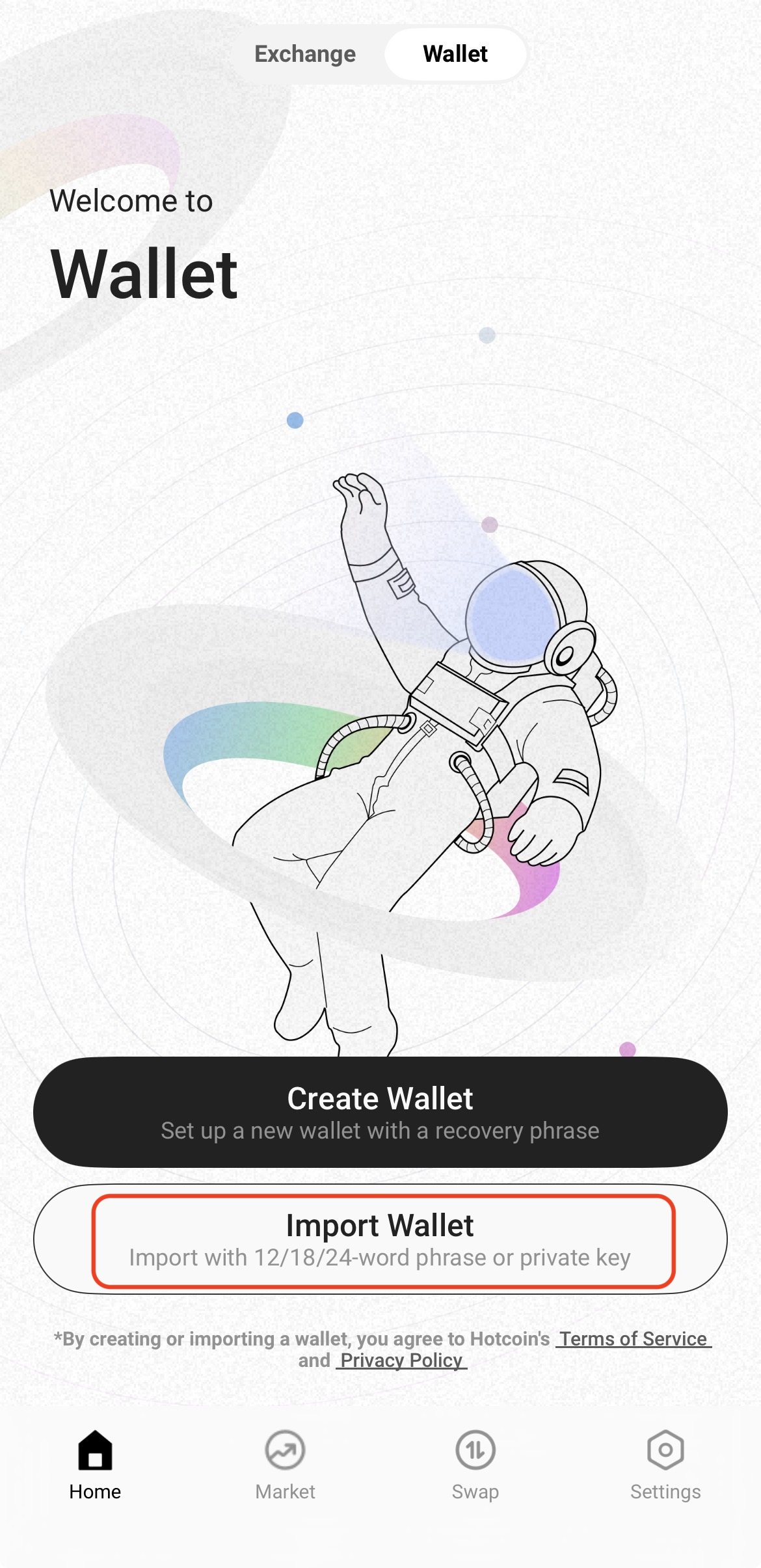
2. Create a wallet password, enter your recovery phrase or private key, and follow the on-screen instructions to complete the import.
Notes: